
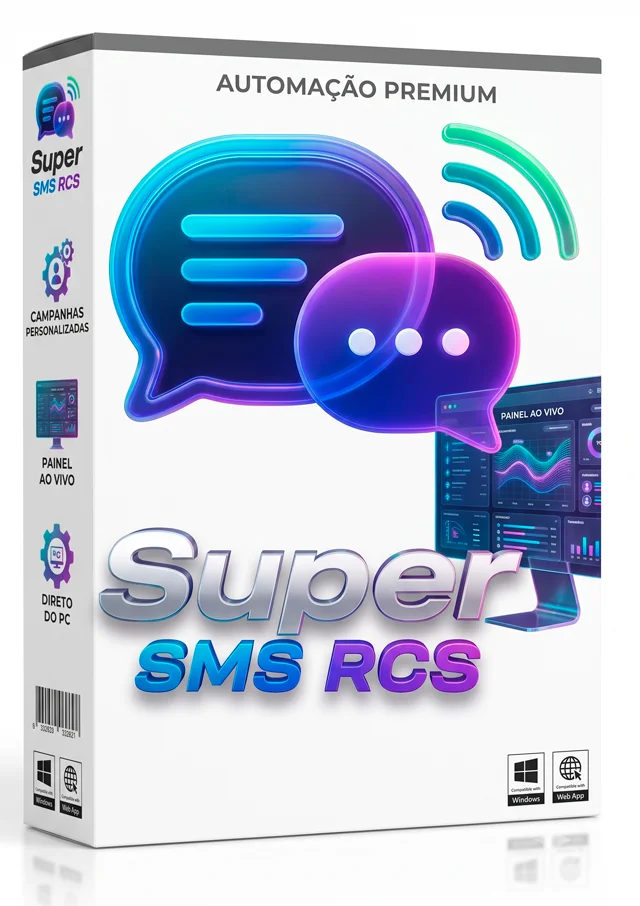
Super SMS RCS
Stock: 4 Available
Category:
Tags:
Tempo de Uso e Updates
Description
📢 How to Send Bulk SMS and RCS via PC with Zero Cost Per Message
If you work in digital marketing, sales, or customer service, you already know that the SMS open rate is over 98%, while email marketing barely reaches 15%. But the major problem has always been the high cost per message charged by traditional platforms and the constant risk of number blocking.
That is exactly why Super SMS RCS PRO was created—the ultimate extension for Google Chrome, Edge, and Brave that allows you to automate bulk SMS and RCS messaging directly from your computer, utilizing the official structure of Google Messages Web.
In this complete guide, you will understand how this tool works, why RCS (Rich Communication Services) technology is the future of bulk messaging in Brazil and worldwide, and how to apply it to your business today.
❓ What is the Super SMS RCS PRO Extension and How Does It Work?
Super SMS RCS PRO is an automation software in the format of a browser extension. It connects to the Google Messages Web interface (the official messaging app for the Android system) and automatically sends personalized messages to your contact list.
Unlike third-party SMS gateways that charge fees for every blast, Super SMS RCS PRO operates directly from your browser. This ensures:
- Zero Additional Fees: You don't pay for any API or per-message fees.
- Native Deliverability: Messages are sent directly from the official Google ecosystem.
- Absolute Privacy (Data Protection): Your contacts and customer data never leave your computer.
🔥 Key Features of Super SMS RCS PRO to Boost Your Sales
🤖 1. Anti-Spam Spintax Automation & Custom Variables To prevent carrier algorithms from identifying spam patterns, the extension features the Spintax tool ({Hi|Hello|How are you?}). With each send, the system automatically selects a greeting and a unique text structure.
Additionally, you can use dynamic variables extracted from your Excel spreadsheet, such as [[name]], [[city]], or [[code]], personalizing each message with the customer's name and data.
🛡️ 2. Dual Anti-Block System (Warmup & Random Delay)
- Warmup Mode: Configure automatic human pauses (e.g., rest for 5 minutes every 50 messages sent).
- Random Delay: Set a variable time interval (e.g., between 5 and 12 seconds) between each message, perfectly mimicking human typing.
🖼️ 3. RCS Media Blasts (Photos, Videos, and PDFs) RCS (Rich Communication Services) technology is the evolution of traditional SMS. With Super SMS RCS PRO, you can send: promotional images, short videos, and PDF catalogs, complete with interactive previews on the customer's screen.
🚫 4. Exclusive "RCS Only" Filter & Opt-out Blacklist
- RCS Filter: Identifies and sends rich media and messages only to RCS-compatible smartphones.
- Blacklist Management: Add numbers of customers who requested to opt-out, avoiding complaints and complying with data privacy regulations.
📊 5. Live Reports and Excel History (CSV) Monitor the blast happening in real-time on your screen. At the end of each campaign, export a complete report in .CSV format to analyze your results.
🎯 Who is Bulk SMS and RCS Messaging For?
- 🛒 Online Stores & E-commerce: Sending tracking codes, abandoned cart notices, and flash sales.
- 💼 Marketing Agencies & Affiliates: Direct prospecting to qualified leads' mobile phones.
- 🏫 Schools, Clinics & Service Providers: Automated reminders for appointments, classes, and bookings.
- 📈 Sales Teams & SDRs: Direct and personalized approach to potential clients.
❓ Frequently Asked Questions (FAQ)
1. What is required to use the extension? You only need a computer with the Google Chrome browser (or derivatives like Edge/Brave), an Android smartphone connected to the internet, and the official Google Messages app paired via QR Code.
2. Do I pay any amount per message sent? No! The extension does not use paid APIs. Sending is processed through your own mobile plan or the Google Messages Web infrastructure.
3. What is the difference between standard SMS and RCS SMS? Standard SMS is limited to 160 characters of plain text. RCS SMS, on the other hand, allows you to send longer texts, images, videos, interactive buttons, and visual read receipts, providing an experience identical to WhatsApp.
4. How does the extension prevent SIM card blocks? Through the combination of Spintax (dynamic word variation), adjustable random delays, and the Warmup pause system, simulating the behavior of a human user manually sending messages.
🚀 Conclusion: Start Selling More with SMS & RCS Today!
Bulk SMS and RCS messaging via PC is the cheapest, fastest, and most efficient strategy to reach customers directly on their cell phones with an over 98% open rate.
Related Products



Reviews
There are no reviews for this product yet.